

Since launching the Flexivity AI beta, we’ve been heads-down building the features that help desk teams actually need. Today, we’re excited to announce three new capabilities that take your osTicket experience to the next level.
What’s New
We’re adding three features that address some of the most common pain points in help desk operations: routing tickets to the right team, keeping your knowledge base relevant, and helping customers find answers on their own.
AI Ticket Classification
Every support team knows the frustration: tickets land in the wrong queue, get assigned to the wrong topic, or sit waiting for someone to manually sort them. It slows everything down.
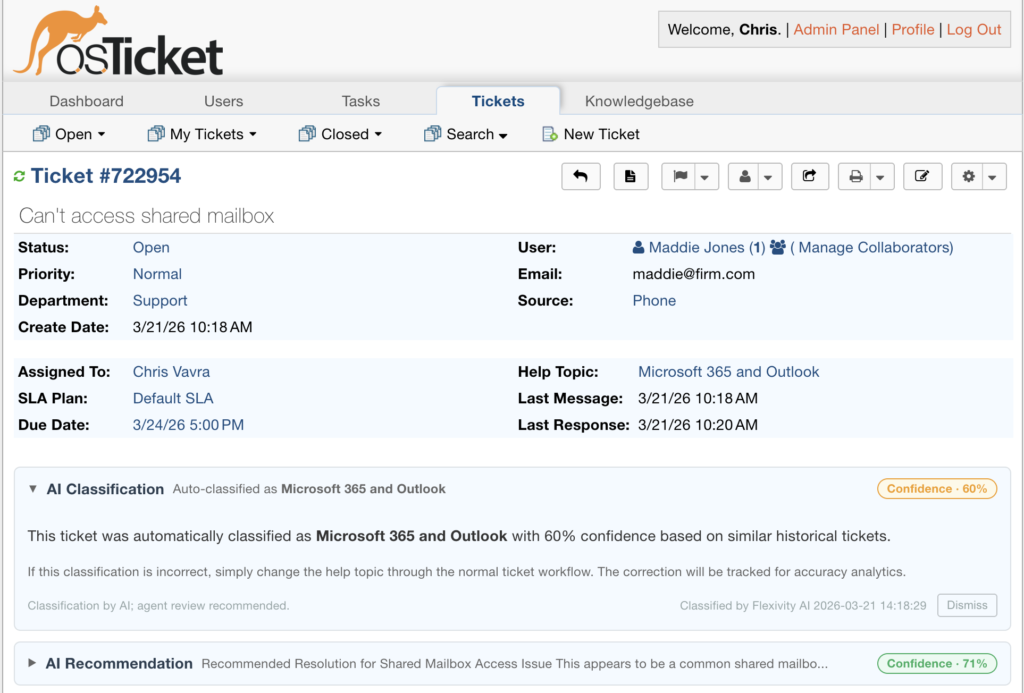
AI Ticket Classification automatically analyzes incoming tickets and either assigns them to the correct help topic or suggests the best match with a confidence score. Your agents see the classification right on the ticket — with one click to accept or override.
Behind the scenes, the system learns from your team’s historical data. It uses pattern matching against your resolved tickets and, when confidence is low, a secondary AI analysis to break the tie. The more tickets your team handles, the smarter it gets.
We also track classification accuracy in the background. When a ticket is closed, the system compares the original AI classification against the final help topic — so you can see how often the AI got it right, how often agents corrected it, and how accuracy trends over time. It’s built-in accountability for the automation.
The result: fewer misrouted tickets, faster first response, and less manual triage for your team leads.
Knowledge Base Gap Analysis and Authoring
Most teams know they should be writing more knowledge base articles. But figuring out which articles to write — and then actually writing them — falls to the bottom of the priority list.
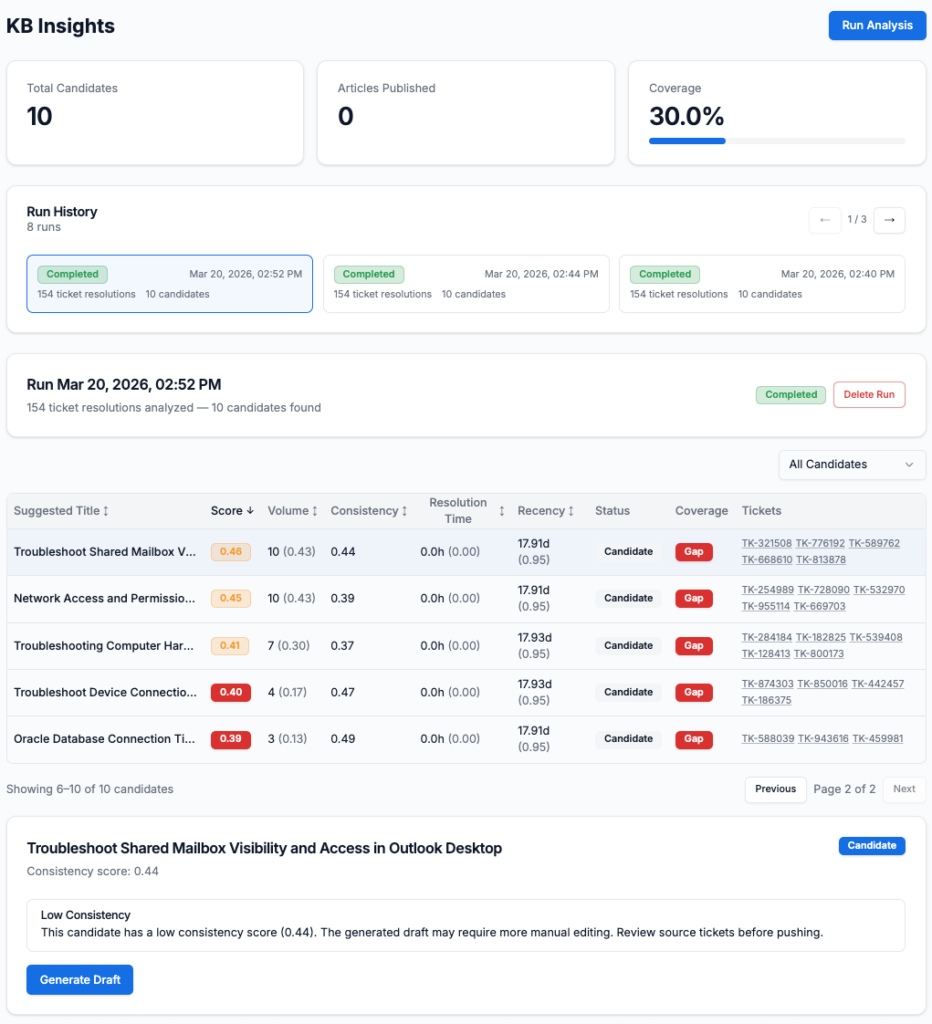
KB Analysis changes that. It automatically scans your resolved ticket history, identifies clusters of recurring issues, and tells you exactly where your knowledge base has gaps. For each gap, it shows you how many tickets could have been deflected if an article existed, along with a consistency score that tells you how similar those tickets really are.
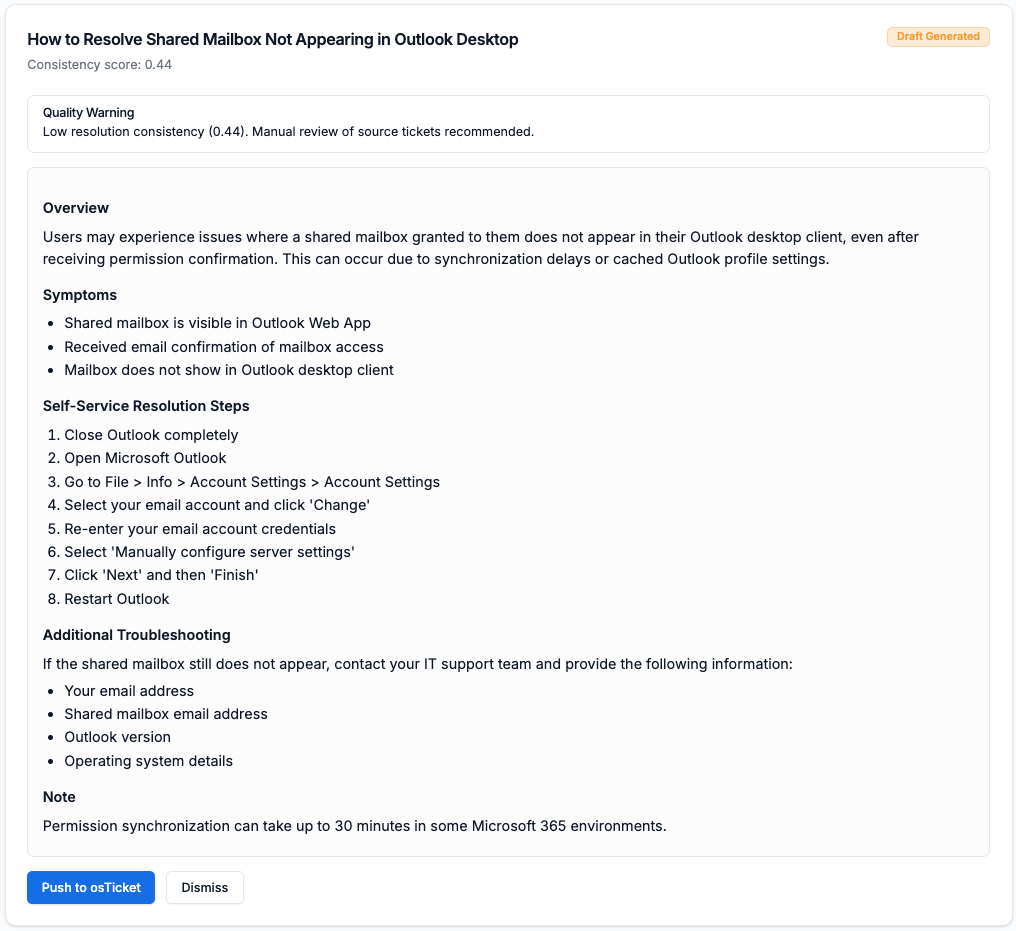
When you’re ready to act, one click generates a draft article synthesized from those historical tickets — complete with troubleshooting steps and resolution procedures pulled from your team’s actual responses. Another click pushes it directly into your osTicket FAQ, ready for review and publishing.
It’s the fastest path from “we keep getting asked this” to a published KB article that saves your team time on every future ticket.
Knowledge Base AI Search
A knowledge base is only useful if customers can actually find what they need. Traditional keyword search often falls short — customers don’t always use the same terms your team does.
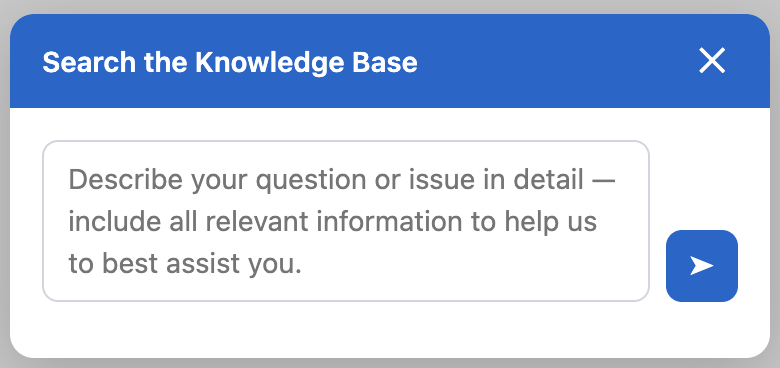
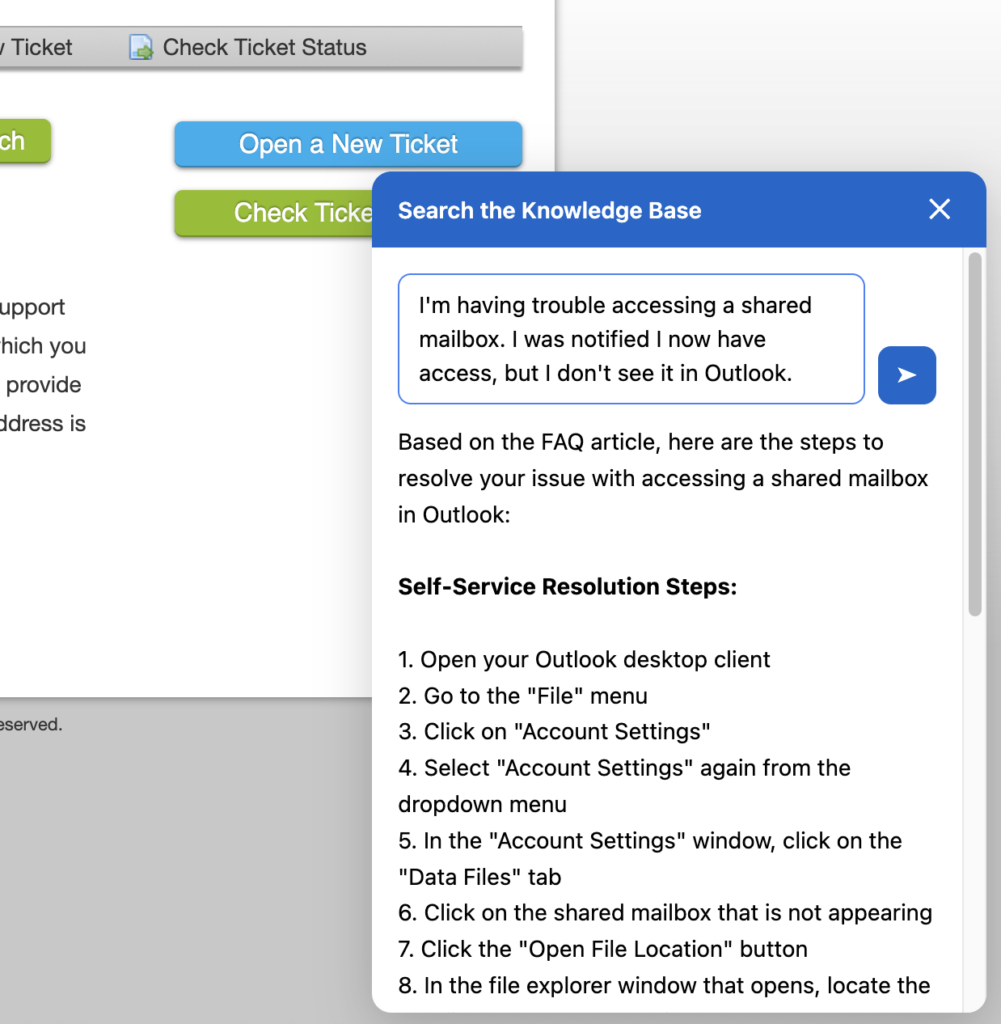
KB AI Search adds a floating search widget to your public-facing osTicket pages. When a customer types a question in natural language, the system searches your published FAQ articles using semantic matching — meaning it understands intent, not just keywords — and generates a streaming, AI-powered answer synthesized from the most relevant articles, with direct links to the source content.
The widget appears on your KB pages and support home page, giving customers an intelligent self-service option before they open a ticket. For teams already investing in their knowledge base, this is where that investment starts paying dividends.
Built Into Your Existing Setup
Like our existing AI Summary and Recommendations features, all three new capabilities integrate directly into your osTicket instance. Classification appears on the ticket detail page. KB Analysis lives in the admin console’s Analytics section. The search widget is injected automatically via the Flexivity AI plugin — no code changes, no custom themes, no separate portals.
Everything runs through the same secure architecture: your data stays PII-scrubbed, processed through our cloud pipeline, and delivered back to your osTicket interface in real time.
The Full Flexivity AI Beta
With these additions, the Flexivity AI beta now includes five AI-powered features — all designed to work together to make your help desk faster, smarter, and more self-sufficient.
- AI Ticket Summary — Instantly summarizes long ticket threads with key details and customer sentiment, so agents can get up to speed in seconds instead of scrolling through dozens of replies.
- AI Ticket Recommendations — Surfaces similar resolved tickets with a confidence score and direct links, giving every agent access to your team’s collective knowledge on every new ticket.
- AI Ticket Classification — Automatically routes incoming tickets to the correct help topic based on historical patterns, with accuracy tracking and one-click agent override.
- Knowledge Base Gap Analysis & Authoring — Identifies recurring ticket patterns not covered by your KB, generates draft articles from resolved tickets, and publishes them directly to osTicket with one click.
- Knowledge Base AI Search — Adds an intelligent, natural-language search widget to your public KB pages that delivers streaming AI answers synthesized from your published FAQ articles.
What’s Next
We’re continuing to build toward our vision of making open source business tools dramatically more powerful with AI. These three features represent a major step forward — from reactive ticket handling to proactive knowledge management and intelligent self-service.
If you’re already in the beta, these features are available now in your admin console. If you haven’t joined yet, there’s never been a better time.
Get Started
Reach out to us at support@flexivity.ai or click the Join Beta button at the top of the page. We’d love to hear what you think.
Flexivity AI: Agentic AI for Every Team. Learn more at flexivity.ai.